Final Project - Jam Pac'd
This project will be your capstone from the AI track, giving you practice with all of our topics this semester and some friendly competition! Feel free to work in groups up to the group-size limit listed in the syllabus.
Attribution: UC Berkeley has made some courseware available for RL practice in this domain, which we will use for this assignment because it's really cool.
Credit to Lucille Njoo for upgrading the project to Python3! Please use this version for your development.

|
GenAI use for the entirety of the final project is allowed! This project is complex enough such that, even if you choose to use GenAI, you will still need to develop your own strategies in designing your agents, just use GenAI to save you keystrokes when appropriate. |
Starting Point
Start with the solution skeleton in hand! The heavy lifting and spec below has been done by a team of dedicated educators over the course of decades, and the components for you to complete are highlighted in each section that follows.
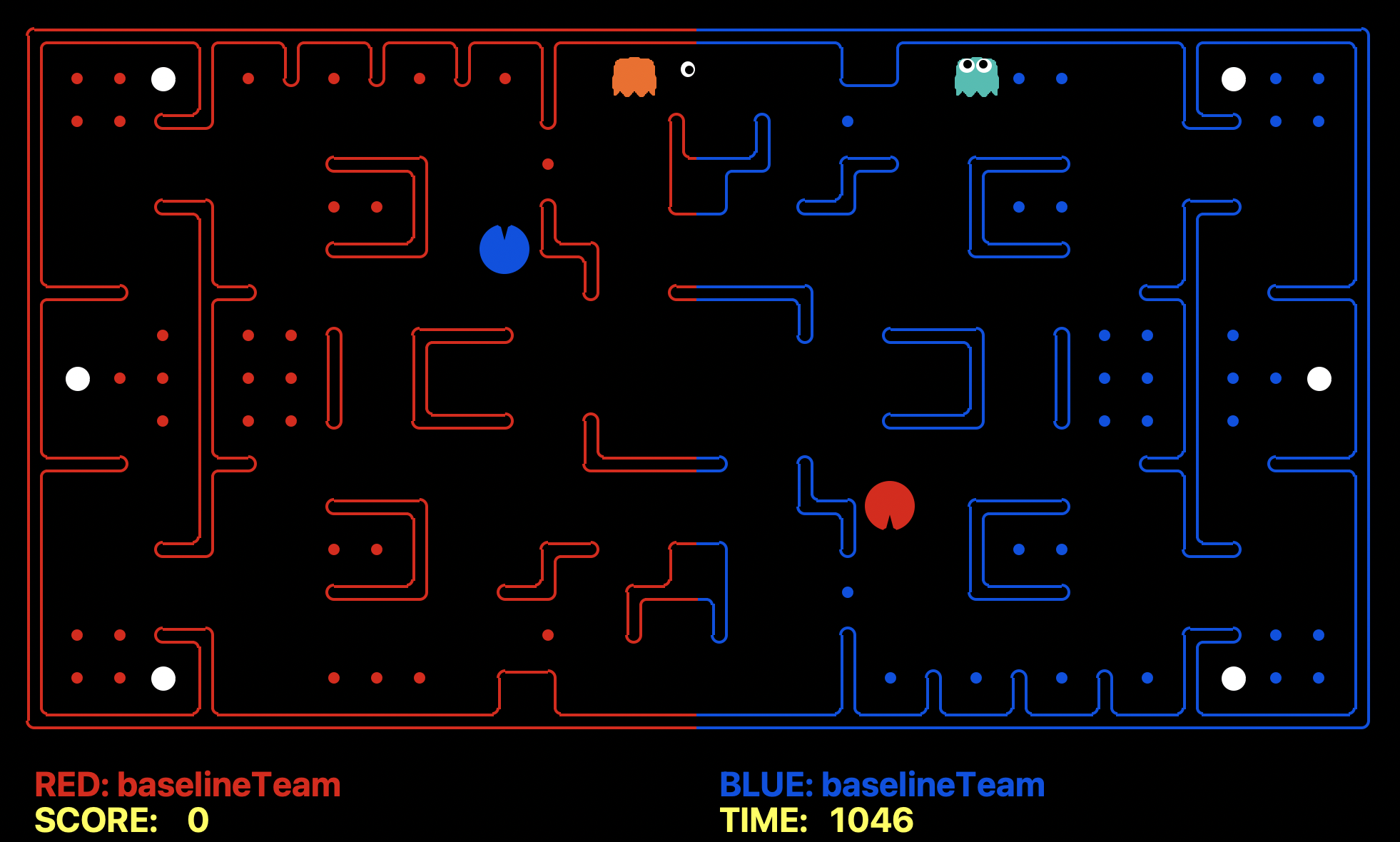
Overview: The course contest involves a multi-player capture-the-flag variant of Pacman, where agents control both Pacman and ghosts in coordinated team-based strategies. Your team will try to eat the food on the far side of the map, while defending the food on your home side.
Included in the above, you'll find:
| Key Files to Read: | |
capture.py |
The main file that runs games locally. This file also describes the new capture the flag GameState type and rules. |
captureAgents.py |
Specification and helper methods for capture agents. |
baselineTeam.py |
Example code that defines two very basic reflex agents, to help you get started. |
myTeam.py |
This is where you define your own agents for inclusion in the competition. (This is the only script that you'll modify, though you'll also include your data/weight file specified later.) |
| Supporting Files (Do not Modify): | |
game.py |
The logic behind how the Pacman world works. This file describes several supporting types like AgentState, Agent, Direction, and Grid. |
util.py |
Useful data structures for implementing search algorithms. |
distanceCalculator.py |
Computes shortest paths between all maze positions. |
graphicsDisplay.py |
Graphics for Pacman |
graphicsUtils.py |
Support for Pacman graphics |
textDisplay.py |
ASCII graphics for Pacman |
keyboardAgents.py |
Keyboard interfaces to control Pacman |
layout.py |
Code for reading layout files and storing their contents |
Rules of Pacman CTF
Layout
The Pacman map is now divided into two halves: blue (right) and red (left). Red agents (which all have even indices) must defend the red food while trying to eat the blue food. When on the red side, a red agent is a ghost. When crossing into enemy territory, the agent becomes a Pacman.
Scoring
As a Pacman eats food dots, those food dots are stored up inside of that Pacman and removed from the board. When a Pacman returns to his side of the board, he "deposits" the food dots he is carrying, earning one point per food pellet delivered. Red team scores are positive, while Blue team scores are negative.
If Pacman is eaten by a ghost before reaching his own side of the board, he will explode into a cloud of food dots that will be deposited back onto the board.
Eating Pacman
When a Pacman is eaten by an opposing ghost, the Pacman returns to its starting position (as a ghost). No points are awarded for eating an opponent.
Power Capsules
If Pacman eats a power capsule, agents on the opposing team become "scared" for the next 40 moves, or until they are eaten and respawn, whichever comes sooner. Agents that are "scared" are susceptible while in the form of ghosts (i.e. while on their own team's side) to being eaten by Pacman. Specifically, if Pacman collides with a "scared" ghost, Pacman is unaffected and the ghost respawns at its starting position (no longer in the "scared" state).
Observations
Agents can only observe an opponent's configuration (position and direction) if they or their teammate is within 5 squares (Manhattan distance). In addition, an agent always gets a noisy distance reading for each agent on the board, which can be used to approximately locate unobserved opponents.
Winning
A game ends when one team returns all but two of the opponents' dots. Games are also limited to 1200 agent moves (300 moves per each of the four agents). If this move limit is reached, whichever team has returned the most food wins. If the score is zero (i.e., tied) this is recorded as a tie game.
Computation Time
Each agent has 1 second to return each action. Each move which does not return within one second will incur a warning. After three warnings, or any single move taking more than 3 seconds, the game is forfeit. There will be an initial start-up allowance of 15 seconds (use the registerInitialState function). If your agent times out or otherwise throws an exception, an error message will be present in the log files, which you can download from the results page.
Specifications
Designing Agents
Unlike Project 2, an agent now has the more complex job of trading off offense versus defense and effectively functioning as both a ghost and a Pacman in a team setting. Furthermore, the limited information provided to your agent will likely necessitate some probabilistic tracking (like Project 4). Finally, the added time limit of computation introduces new challenges.
Baseline Team
To kickstart your agent design, we have provided you with a team of two baseline agents, defined in baselineTeam.py. They are quite bad. The OffensiveReflexAgent simply moves toward the closest food on the opposing side. The DefensiveReflexAgent wanders around on its own side and tries to chase down invaders it happens to see.
File Format
You should include your agents in a file of the same format as myTeam.py. Your agents' logic (training and otherwise) must be
completely contained in this one file, with the exception of a weights file (format of your choosing), which can contain any post-training
data that is used to inform your agents' actions.
Interface
The GameState in capture.py should look familiar, but contains new methods like getRedFood, which gets a grid of food on the red side (note that the grid is the size of the board, but is only true for cells on the red side with food). Also, note that you can list a team's indices with getRedTeamIndices, or test membership with isOnRedTeam.
Finally, you can access the list of noisy distance observations via getAgentDistances. These distances are within 6 of the truth, and the noise is chosen uniformly at random from the range [-6, 6] (e.g., if the true distance is 6, then each of {0, 1, ..., 12} is chosen with probability 1/13). You can get the likelihood of a noisy reading using getDistanceProb.
Note that getAgentDistances returns one such noisy value to each of the agents (by index) from the perspective of the agent whose turn it was when it was called.
Distance Calculation
To facilitate agent development, we provide code in distanceCalculator.py to supply shortest path maze distances.
CaptureAgent Methods
To get started designing your own agent, we recommend subclassing the CaptureAgent class. This provides access to several convenience methods. Some useful methods
(which can be called via self.methodName from within agents you design in the myTeam.py module) are:
def getFood(self, gameState):
Returns the food you're meant to eat. This is in the form of a matrix where |
def getFoodYouAreDefending(self, gameState):
Returns the food you're meant to protect (i.e., that your opponent is supposed to eat). This is in the form of a matrix where |
def getOpponents(self, gameState):
Returns agent indices of your opponents. This is the list of the numbers of the agents (e.g., red might be |
def getTeam(self, gameState):
Returns agent indices of your team. This is the list of the numbers of the agents (e.g., blue might be |
def getScore(self, gameState):
Returns how much you are beating the other team by in the form of a number that is the difference between your score and the opponents score. This number is negative if you're losing. |
def getMazeDistance(self, pos1, pos2):
Returns the distance between two points; These are calculated using the provided distancer object. If |
def getPreviousObservation(self):
Returns the |
def getCurrentObservation(self):
Returns the |
def debugDraw(self, cells, color, clear=False):
Draws a colored box on each of the cells you specify. If clear is |
GameState Methods
Many methods are parameterized by a GameState object, representing the current board-state or that of a successor following an action taken by the agent.
Here are a variety of helpful methods you can call on GameState objects:
def getLegalActions(self, agentIndex):
Returns the legal actions for the agent specified. |
def generateSuccessor(self, agentIndex, action):
Returns the successor state (a GameState object) after the specified agent takes the action. |
def getAgentState(self, index):
Returns the agent state object from the perspective of the agent at the given index. |
def getAgentPosition(self, index):
Returns a location tuple if the agent with the given index is observable; if the agent is unobservable, returns None. |
def getRedFood(self) / getBlueFood(self)
Returns a matrix of food that corresponds to the food on the red team's side. For the matrix m, m[x][y]=true if there is food in (x,y) that belongs to red (meaning red is protecting it, blue is trying to eat it). |
def getRedCapsules(self) / getBlueCapsules(self)
Returns the locations of the red / blue capsules / power pellets. |
def getDistanceProb(self, trueDistance, noisyDistance):
Returns the probability of a noisy distance given the true distance. |
def getInitialAgentPosition(self, agentIndex):
Returns the initial position of an agent. |
The above represents only a snippet of the many methods you might find useful from the capture.py module; make sure to fully explore
the methods available there for more info!
Maze Layout
The following is the maze layout in which the tournament / grading tests will occur, with key:
%= walls.= standard pellet -- eat these and return to your side to score points!o= power pellet -- eat this to turn the defenders vulnerable!1,2,3,4= agent starting positions by agent index
The dividing line between the red and blue side is between X = 16 (red side) and X = 17 (blue side).
             1111111111222222222233
   01234567890123456789012345678901
0  %%%%%%%%%%%%%%%%%%%%%%%%%%%%%%%%
1  %..o%.%.%.%.%      %% ...  %o..%
2  %..%%       %  % % .       %%..%
3  %      %%%  .  %%% %% %%%      %
4  %  %%  ..%  %  %% %%  %..  %%  %
5  %   %  %%%  %%        %%%  %   %
6  %%% %%       % %%%%       %% %%%
7  %1 .%..% %%%  .  .% %%% %..%. 4%
8  %o..%..% %..        ..% %..%..o%
9  %3 .%..% %%% %.  .  %%% %..%. 2%
10 %%% %%       %%%% %       %% %%%
11 %  %%%        %%  %%%  %   %
12 %%  ..%  %% %%  %  %..  %%  %
13 %      %%% %% %%%  .  %%%      %
14 %..%%       . % %  %       %%..%
15 %..o%  ... %%      %.%.%.%.%o..%
16 %%%%%%%%%%%%%%%%%%%%%%%%%%%%%%%%
Training vs. Testing
At the top of
myTeam.pyyou'll find a space for Constants that will be used during training and deployment of your agent.Chiefly, note the constant named
TRAINING, which is set toTrueif the agent is in training mode, orFalseif it is not. The implications of these settings are as follows:If
TRAINING = True, your agent will attempt to learn some weights / whatever data you'd like it to learn through repeated trials, which should be stored persistently in some data file calledweights_TEAMNAME.json. The format of this file can be whatever you'd like, though a common suggestion is to store some JSON map of features / properties to their learned values (including record-keeping data like the schedule of exploration reduction during learning). During play, an agent that is training will take some exploratory moves, and update the weights as it learns; you may check this flag's state when choosing actions. Additionally:If the agent is training and the weight file is *missing* from the same directory, you should create it and initialize the weights / values to 0 or some small random values.
Important: your weights MUST begin at either all zeros or small random values; if you hand-code any starting weight values, you will be heavily penalized and disqualified from the tournament!
If the agent is training and the weight file is *present / found* in the same directory, you will continue training using those values.
If
TRAINING = False, your agent will expect the weight file to be present, use these weights for all of its decisions, and will not take exploratory actions (unless you want some nondeterminism in its moves, but that's still part of the policy). The weight file will not be updated while the flag is set to False.WARNING: there is a
time.sleep(0.1)command ingame.pythat is useful in the animation of games, but can be set totime.sleep(0)while TRAINING to accelerate learning.
Lastly, you will document whatever commands you used to execute the training (i.e., with what arguments you supplied the execution of
capture.py). Save this in yourconfig.txtfile specified in the Deliverables section below.Note that to let an agent train across many games, you should run
capture.pywith the "quiet" flag-q(on some systems, -Q), which runs games without the GUI interface, and by specifying the-n #flag, specifying how many of these silent games you'd like to run.IMPORTANT: Your final submission (on GitHub Classroom) should contain your fully trained weight file, and have
TRAINING = Falseby default.
Tips & FAQ
Tasks and Challenges
To design your agents, whose behaviors must be developed through Reinforcement Learning, the following are common tasks that you'll want to perform:
Design the training loop such that, whenever
TRAINING = True, you have a well-designed infrastructure for where your agents will update their weights, choose to explore vs. exploit, etc.Create a feature extractor that, given the primitive state-action space, decomposes it into useful features that your agents can attend to, learn from, and weight.
Design a reward function such that rewards are neither granted too densely nor too sparsely, and inform your agent as to what constitutes "good" and "bad" decisions given some decomposition of the state. This will, for some actions, depend on taking a "pre" and "post" action snapshot of the state to determine the reward, like figuring out if an attacking Pacman died from a move such that it was reset to the starting position after running into a defending ghost.
Consider the exploration / exploitation tradeoff: you may want to involve a small exploration bonus to rewards during the formative days of your agents' training.
Save your weights such that after each trial / game of training, "lessons learned" by way of any updates to the agent's policy are saved. Note: for convergence guarantees, weights should not exceed the range of \([-1, 1]\), but it's not a problem if they do so long as they're not exploding to huge numbers (commonly, can just choose rewards that are between \([-1, 1]\), feature values in the same range, and have a small learning rate to ensure this).
[Optional] Read the noise such that your agents can combine noisy readings of opponent locations into usable estimates. Doing so will require some tools from 3300!
Model Tradeoffs
When considering just how you wish to design your agent(s), there are a variety of options for the architecture you use. Here is a quick rundown of approaches alongside some of their strengths and weaknesses.
Approach |
Implementation |
Training |
Performance |
|---|---|---|---|
Exact Q-Learning |
Easy-Moderate Depends on how complex you want to transform the state; using states as-is (i.e., position of all agents and pellets) will make for a MASSIVE state space. |
Moderate Large state-spaces will take quite some time to learn, especially in absence of any exploration functions. |
Moderate Depending on training approach, model may overfit during training or miss key transitions. |
Approximate Q-Learning |
Moderate Choice and implementation of features can be rich, but engineering them takes time. |
Easy Approximate Q-learning updates are simple and generally do not take long to learn weights. |
Variable Choice of features makes for low predictability of performance in general and risks over-summarizing state. |
Deep RL |
Complex Choice of state representation, encoding, and integration of Pytorch tools takes lots of time and effort. |
Complex Training, even if configured properly, takes a long time, and thus takes awhile to validate. |
Strong Although only a handful of students have successfully implemented a Deep-RL solution to this project, these methods are some of the most validated for generalized performance assuming a proper training regimen. |
Learning Augments (e.g., exploration functions, self-play, curiosity, etc.) |
Complex Wide variety in difficulty of implementing learning augment strategies, but these are layers of complexity atop all of the general modeling approaches above. |
Variable Some approaches (like exploration functions) may simplify / accelerate training, whereas others (self-play) may trade speed for generalizability. |
Benefits Generally, these approaches yield positive benefits to learning speed and final performance of policies. |
FAQ
Here are some typical problems people face during their design, and some tips for getting around them:
I'm not quite sure where to start with the feature design, especially because some of the baseline features are NOT action-features--any tips?
Yep, a few things to review:
Recall that Approximate Q-learning requires that we filter the primitive state (the entire board including where each agent is, all of the pellets, etc.) into action-features
f(s,a)that essentially craft the "eyes" through which the agent sees the world. Action-features are a function of both the state and an accompanying action, so will encode numerical values corresponding to, e.g., proximity to pellets from taking actions, or "eats pellet" if an action eats a pellet.At the most basic level, I suggest *just* starting by getting your agent to be a hungry-hungry-Pacman that only cares about eating pellets -- this can be minimally accomplished by features that are sensitive to pellet proximity, eating a pellet (binary), and rewards that respond to each event (e.g., moving closer to a pellet and eating one). Try to start with only binary features, and save any more sophisticated "range sensitive" ones for your fine-tuning.
Once you have an agent that goes after pellets, start iteratively adding new features that will improve its performance, testing at each addition to validate that it is indeed an improvement.
Moreover, remember that you can review the feature extractors from Ass-2 to get a basic idea for how to approach more sophisticated feature vectors!
During training, my weights are blowing up out of control, flipping from positive to negative, or otherwise updating weirdly; what gives?
A few things to check:
Try keeping your features as binary or scaled within the range of [-1, 1]; a common approach is to use feature scaling techniques
Do you have an appropriately small value your learning rate? Your discount factor may also be too high.
Make sure your rewards are small enough -- all that matters is that the rewards for different events that you want to be distinguished have different magnitudes relative to one another.
In the BaselineAgents, their weights aren't between [-1, 1], so how come it works for them and not us?
Notice that they're called "ReflexAgents" because those weights are hard-coded and only encode the programmer's beliefs about the best relative weighting between them -- crucially, these weights are *not* learned. The explosion of weights happens from the q-learning update rule as it's learning, which is why *we* have to worry about weights outside of that range, and they don't. Functionally, it's fine if our weights exceed that range so long as they're not exploding to huge values that may eventually become infinity.
I'm not sure what arguments should go into my reward function, nor how to structure it? Tips on \(R(s, a, s')\)?
Since you'll need to know how other agents interacted with your agent's chosen action, rewards are assigned in retrospect such that:
\(s\) = the *last* state you were in (can be obtained through
getPreviousObservation)\(a\) = the *last* action you took (you'll need to preserve this in an attribute of your agent like
lastAction)\(s'\) = the *current* state you're in, after having taken action \(a\) from state \(s\). Current state can be obtained via
getCurrentObservation
In general, here some tips with designing rewards:
Remember that in approximate Q-Learning, your agent only sees the world through the eyes of the features you design. This means that if a feature has a non-zero value when a reward is received, it will assume an appropriate scale of the "blame" for that reward compared to the magnitudes of other features that are also non-zero. As such, your features should be at the highest magnitude when they receive the largest reward that they are meant to respond to.
If you're having an issue with the attribution problem (where, e.g., a negative reward gets associated with a feature you don't want it to), you'll need to explore other options like reward splitting described in a later FAQ, or providing sparser rewards.
My agents are stuck in the starting hallway, and can't ever get to the rewards to learn -- how to push them out of the house?!
A few things to try: (1) a more dense reward function (i.e., more trickles of rewards when they take actions that move them towards some objective), (2) the optimistic sampling discussed in lecture (largely applies to exact Q-learners, but you can spoof the larger rewards for rarely explored action-states).
My agent looks like it's doing well, but then just stays at home right after it dies! What happened?
You're dealing with the attribution problem! Your agent probably died while it was in pursuit of a pellet, so the big negative reward it got gets associated with the feature sensitive to the pellet's proximity. You can get around this by having *multiple* reward and q-functions that emulate the different types of rewards that humans experience, for instance hunger, thirst, comfort, etc. with potentially different features that are predictive of each. This is what we referred to as "reward splitting" in the lecture, wherein it's a decent idea to do this for the partition of negative vs. positive rewards. Alternately, you can *selectively disable* (i.e., set to 0) certain features that you don't want to be active for certain rewards, e.g., setting food-sensitive features to 0 when near a ghost.
My agent has features that compute some distance to a target, and the weight associated with it is positive after training and being sensitive to some reward, but it doesn't move towards the target as expected -- what gives?
Warning: What follows is a semi-elaborate workaround that gets people unstuck in some circumstances, but features like this can *usually*
be better engineered into some binary/one-hot encoding format to avoid numerical issues like the following.
It's likely that your feature associated with the distance from a given location to the target is getting smaller the closer the agent gets
to the target, which (if the weight is positive) means that states *farther* from the target will have a *larger* feature value, and thus appear more preferable. A quick trick
is to instead change the feature to grow as the agent gets closer to its destination, which can be accomplished by taking C - dist(s, a) where C
is some constant like the maximum maze distance, and dist(s, a) is the distance to some target from state s' after taking action a in state s. It's generally also
a good idea to normalize this feature by C to avoid weight explosions.
My game crashes with a weird error message about some window when using the -n launch parameter to play n games in series -- what gives?
On some Mac systems, this is caused by an issue with the tk graphics library used for rendering. In graphicsUtils.py,
uncomment line 78 and try again, this often fixes things (but on other systems would actually break it lul).
Restrictions
You are free to design any agent you want. However, you will need to respect the provided APIs if you want to participate in the competition. Agents which compute during the opponent's turn will be disqualified. In particular, any form of multi-threading is disallowed, because we have found it very hard to ensure that no computation takes place on the opponent's turn.
Getting Started
By default, you can run a game with the simple baselineTeam:
python capture.py
A wealth of options are available to you:
python capture.py --help
There are four slots for agents, where agents 0 and 2 are always on the red team, and 1 and 3 are on the blue team. Agents are created by agent factories (one for Red, one for Blue). See the section on designing agents for a description of the agents invoked above. The only team that we provide is the baselineTeam. It is chosen by default as both the red and blue team, but as an example of how to choose teams:
python capture.py -r baselineTeam -b baselineTeam
which specifies that the red team -r and the blue team -b are both created from baselineTeam.py. To control one of the four agents with the keyboard, pass the appropriate option:
python capture.py --keys0
The arrow keys control your character, which will change from ghost to Pacman when crossing the center line.
Recordings
You can record local games using the --record option, which will write the game history to a file named by the time the game was played. You can replay these histories using the --replay option and specifying the file to replay.
Deliverables and Deadlines
Deliverable |
Description |
DUE |
|---|---|---|
Team Agreement |
Form your team and make sure all members' roles are clear:
|
2 / 27 / 26 Failure to meet this deadline and submit the team agreement on time will incur a -3 penalty to your project score |
Team Check-in |
Solidify your team before entering the home stretch! This is your chance to make any last changes to the team membership before you are locked-in for the remainder of the semester. You have the following options at this checkpoint that will be queried via a survey e-mailed to the class:
|
3 / 27 / 26 Must complete the survey before this date! |
Code Freeze and Training Meeting |
Time to send your agents into the big unknown! Here's how this deadline works:
Ensure that in the Although your primary agent file should be named |
Code Freeze: 5 / 5 / 26 @ 11:59pm Training & PostCommit Meetings: 5 / 7 / 26 Meeting will occur sometime during the DAY (TBD check email Week 16) |
Presentation Submission |
Accompanying your programmatic submission, you must also make a short presentation VIDEO containing the following information:
Some requirements on the video:
Once completed, upload a file containing a link to your hosted video to the |
5 / 7 / 26 Due at MIDNIGHT and can be completed after your Training Meeting |
[Optional] The Last Pun |
Far be it from me to let you escape the last course in my AI sequence without a little wordplay. You may submit your final pun, in either written or illustrated
form, related to the content of this course in the Remember to sign it and indicate if you would prefer it not be eligible for display in the hall of fame (my office door). |
5 / 7 / 26 Due at midnight! |
Final Tournament |
A celebration of all your hard work and fun way to conclude the AI track with me! Join during our regularly scheduled Final Exam meeting for two hours of mirth, friendly competition, and cursing at your Pacman agents for not doing what you expect them to. The details and requirements of this tournament are below:
|
5 / 8 / 26 Check final exam schedule |
Suggested Time Table
You'll have all of the tools you'll need to at least get *some* working agent around the midpoint of this class -- near spring break -- you may want to wait until after to begin heavy construction on your agents.
That said, here's a breakdown of the suggested time-table, though of course, I'm sure you'll condense all of this into the week leading up to the deadline:
[ASAP Upon Spec Published] Please form your final-project group and carefully chosen team-name via Github Classroom's assignment above.
[2 weeks] Get to know the game environment. Detail its classes, methods, and print out attributes of interest to see how everything pieces together.
[1 week] Choose your model architecture, craft features / states that start by *just* getting one agent to chase after pellets. This basic behavior will let you know you're on the right track.
[1 week] Create your training schedule and allow the engineered features for your agents to be learned via some form of Q-learning.
[1 week] Solidify your agents' strategies and the features that support these, e.g., having one defensive agent that cares about your team's pellets, and an offensive that cares about the opponents'.
[1-2 week] Fine-tune the features, training, etc. and potentially scrimmage your agents against one another. Testing against only the baselines will tell you little about performance against other agents for the tournament!
[1 week] Clean up code, create presentation, ensure that both training and deployment work for competition and grading.
Warning: The Deep-Q-Learning approach is VERY difficult in this setting to the point where NO past student has succeeded in its implementation. If you want to attempt it, have a plan B and give yourself at least a few weeks to fall back on that!
Grading
Your final grade is the composite final_grade = {sum of opportunity points} + {sum of penalties}, defined as follows:
Opportunities
Opportunity |
Description |
Points Possible |
|---|---|---|
Correctness - Basic |
Your agent will play 50 games against the |
50 / 50 |
Correctness - Basic ++ |
Your agent will play 30 games against the |
30 / 30 |
Correctness - Stand-offs |
Your agent will play 10 games against the |
10 / 10 |
Presentation |
Complete and submit your presentation video in the above specified format by the deadline listed. |
10 / 10 |
Tournament |
Possible incentives for our tournament podium!
|
+X (bonus) |
The Last Pun |
Bonus points for your final pun in the AI sequence! |
+3 (bonus) |
Possible Penalties
Penalty |
Description |
Deduction Applied |
|---|---|---|
Team Agreement |
Failing to complete and submit the team agreement by its posted deadline above (if on a team). |
-3 |
Agent Design Flaws |
Failing to follow the specifications that agent behavior must be the result of reinforcement learning, have no hard-coded weights / starting weights, and any other unprincipled or illegal choices during training. |
Up to -30 (and disqualification from tournament) |
Tournament Attendance |
Failing to appear at the final tournament. |
-5 |
PostCommit Performance |
There will be 5 PostCommit quiz questions on the final project quiz, each worth a possible 2 points for Mastery-level answers. You will receive a -2 penalty for each point below a threshold of 6 / 10 points you obtain. Note: per usual, I will check your answers by-hand before assigning this score. |
-10 for failing to take the PostCommit quiz Up to -10 based on quiz performance |
Late Penalties |
Failure to meet any of the deadlines posted in the deliverables section above. |
0 for that item (no late submissions accepted) |
Hall of Fame
Past victors of Pacman Duelz Tournaments:
[2026] Winning winner yay winning: Jay Dillon
[2025] Three Guys, One Agent, Zero Plan: Kyle Matton, Jacob Mendoza, JD Elia
[2024] Ghostbusters: Ari Kanevsky, Ava Hoeger, Lucian Prinz, Nicolas Ortiz
[2023] pushin p(ellets): Aidan Srouji, Nat Lau, Abe Moore-Odell
[2022] my_little_pac-champ: Kieran Ahn
[2021] All your flag are belong to us: Booker Martin, Andrew Seaman
[2020] aight imma head out: Katie Nguyen, Moriah Tolliver, Matt Stein
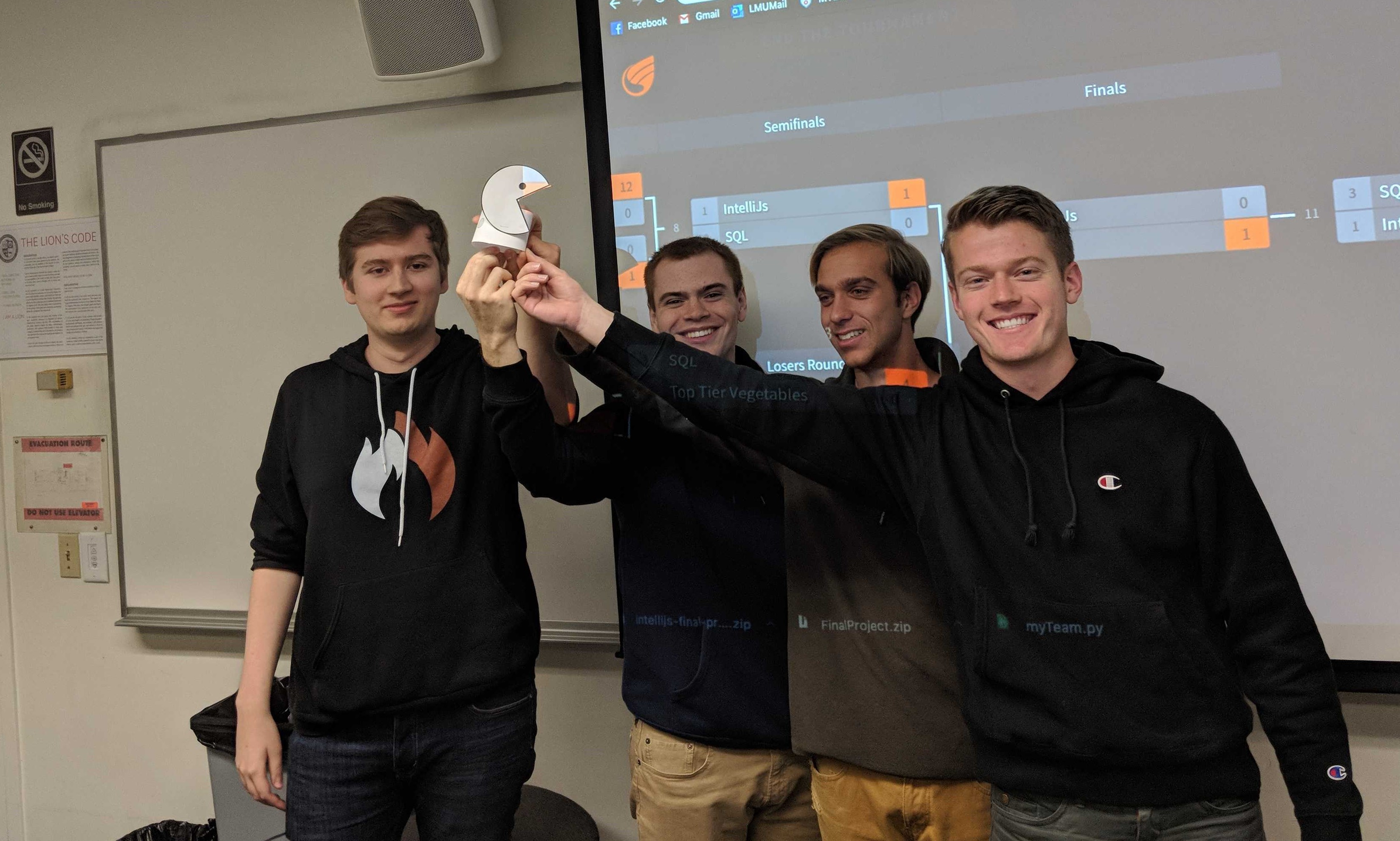
[2019] IntelliJs: Innaugural Victors with Coveted Pacman Duelz Trophy, Depicted Below:
Submission
You will be submitting your assignments through GitHub Classroom!
What
Complete all requested sections of your myTeam.py and place in your src
directory (as well as any weights named weights_team_name.xxx for your team name and whatever file extension xxx you'd like). Complete your presentation
video and place in the vid directory.
How
To clone this assignment (if you need a refresher), consult the guide here:
To submit this assignment:
Simply push your final, submission copy to the GitHub Classroom repository associated with your account.
Place your name at the top of *all* files you worked on AND in the accompanying
readmefile.
PostCommit Quiz!
See spec above for details on your final PostCommit quiz!