Introduction
Welcome to PostCommit! GenAI-Powered Code Reflections for CMSI Students
This demo features a 3-step process for audience participation:
GitHub Classroom Assignment Acceptance: see how PostCommit integrates with existing Edutech infrastructure and clone a simple starting assignment.
PostCommit Quiz Time: put yourself back in the student seat and take a quiz on "your" submitted code!
PostCommit Feedback: observe the grade and feedback provided by our autograder and instructor-curated prompts.
Requirements:
Laptop, Browser, Internet: PostCommit Quizzes are not compatible with mobile devices nor tablets.
GitHub Account: you'll require a GitHub account active with sufficient access token privileges for repo ownership.
GitHub Email Account Access: you may need to accept a GitHub Classroom Invite via email to participate in the demo.
Step 1: Accept GitHub Classroom Assignment
-
Join the GitHub Classroom Assignment at the following link:
SIGCSE 2026 PostCommit Demo GitHub Classroom
Note: You may need to accept a GitHub Classroom Invite via the email associated with your GitHub account to participate in the demo if you are seeing the following error on GitHub Classroom's side:
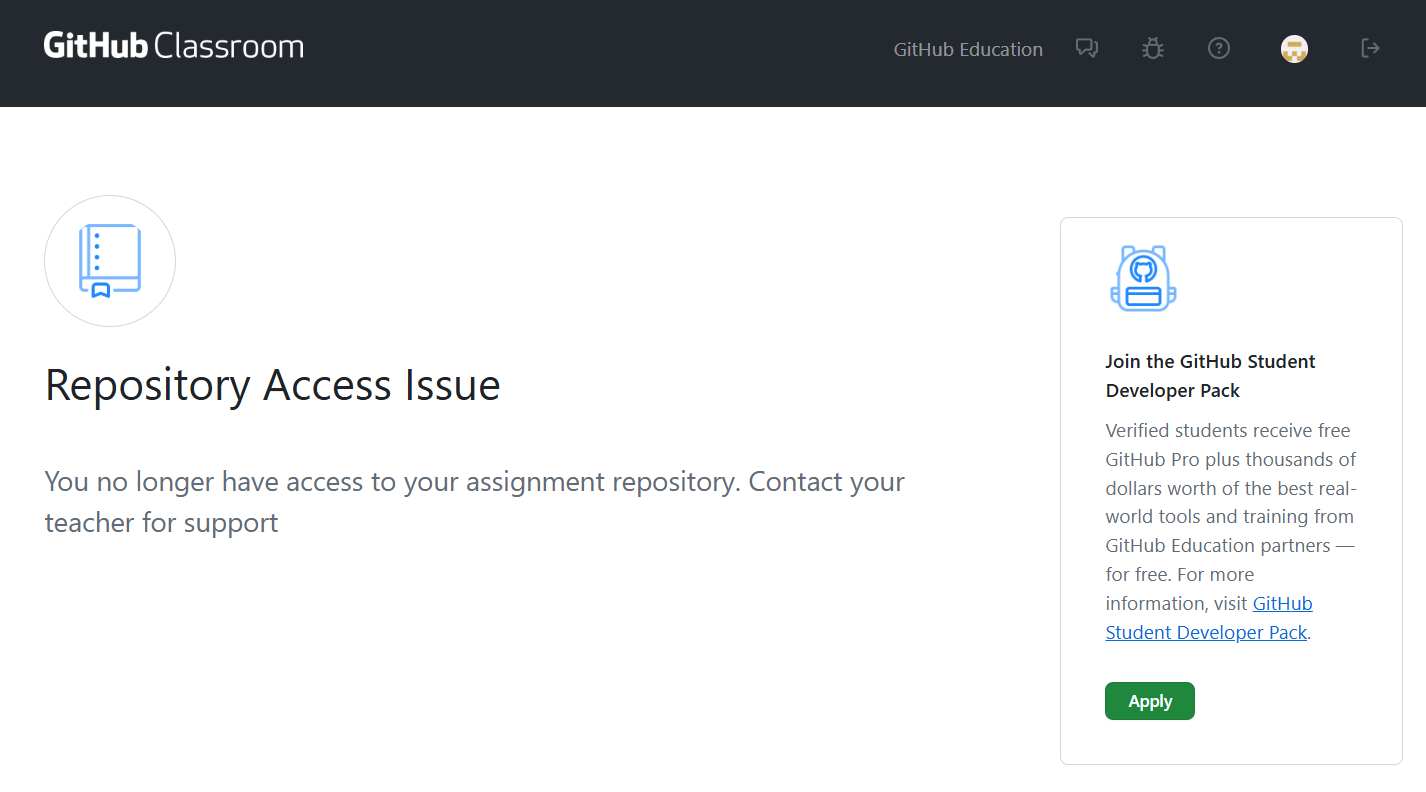
(Alternately, if enough people are getting stopped at this stage, wait for the instructor to run a script that should resend the invites and fix this)
Once you've accepted the assignment, you'll be redirected to your personal repository page. At this point, for the demo, you can:
View the code in the repository, particularly the
/src/pathfinder.pywith its abhorent GenAI solution to the pathfind method.Make any changes you'd like to the pathfinder code, particularly if you want to see how PostCommit Quizzes will respond to your changes. Make sure to commit and push your changes to the repository so that you can take the PostCommit Quiz on your own code!
Sit back and relax for the next steps!
Step 2: PostCommit Quiz Time
Note: PostCommit Quizzes are not compatible with mobile devices nor tablets.
Note: You must have accepted the GitHub Classroom Assignment in Step 1 to participate in the PostCommit Quiz.
Head over to the PostCommit Student Enrollment page at the following link:
Step 3: PostCommit Quiz Feedback
Head BACK to the PostCommit Student dashboard page at the following link:
Click on the "SIGCSE 2026 PostCommit Demo" PCQ to view the feedback.
Epilogue
Thank you for your interest in the PostCommit Demo!
Sign up for the Instructor waitlist:
PostCommit Instructor Dashboard Signup
Get a copy of the slides:
SIGCSE 2026 PostCommit Demo Slides